This forum is dedicated to connecting hosts with other hosts. Sign up to get the latest updates and news just for AirBnb hosts! Note that we are not affiliated with Airbnb - we are just passionate hosts!
Thanks to all for yesterday’s advice for Problem #1. Here’s my second issue:
Up until a few weeks ago, when someone booked a reservation, or if someone made an inquiry prior to booking, I would get notified three ways: (1) audible text message to my cell phone; (2) audible message through the Airbnb app on my cell phone; and (3) email (not audible).
Lately I’ve noticed that while I always got an email about a booking or an inquiry, I was no longer getting TIMELY text messages or messages via the Airbnb app. It could take 12 hours or more for me to be notified, and I have lost bookings as a result. Recently it seems that I no longer get texts or app messages at all with new bookings or inquiries; I only get emails.
To quickly get around this problem before I (hopefully) figure it out, I set up a specific email account exclusive to Airbnb, and I get audible alerts any time there is activity.
Noteworthy is that once a booking is made, I can instantly communicate with the guests in all three ways.
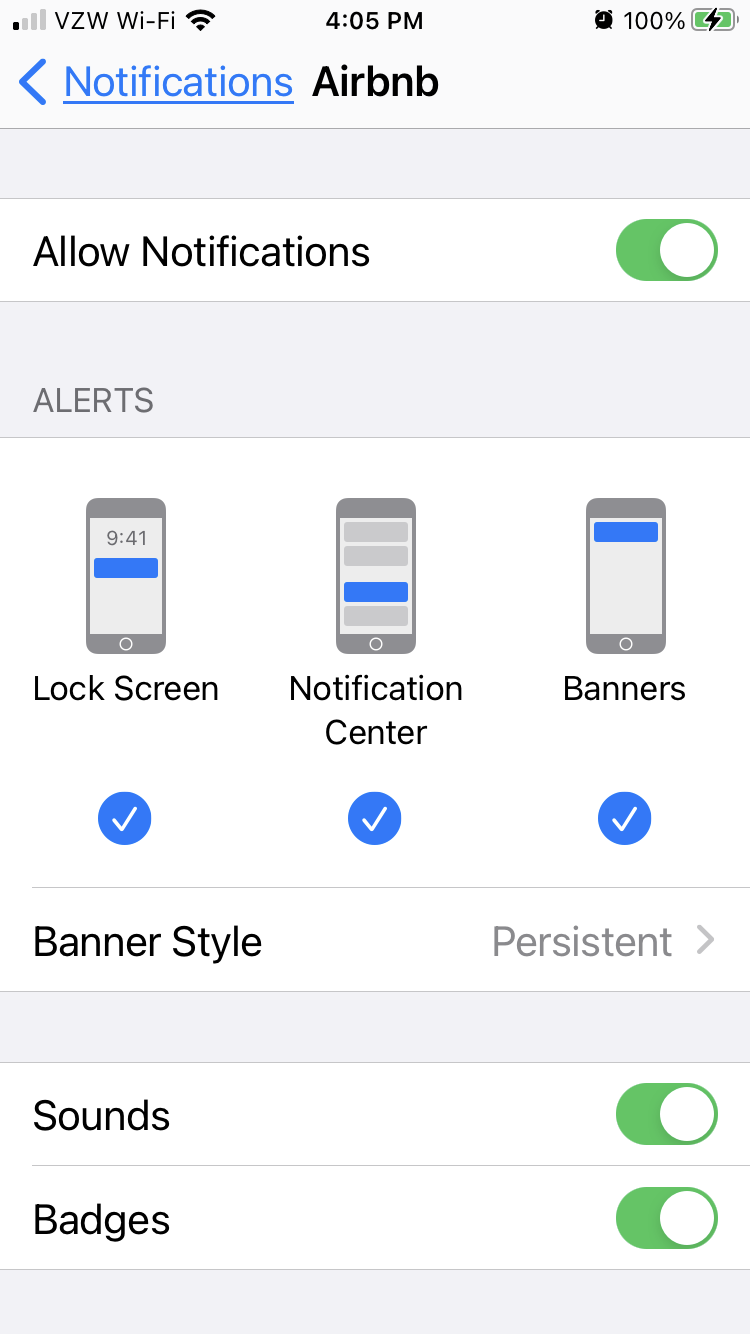
I spent a considerable amount of time on the phone with Airbnb support this week, sending screen shot after screen shot of various settings on my phone. As I thought I knew, my notifications settings are all correct. Airbnb has sent my problem off to a higher level, and I am waiting to hear back from them.
I can’t be the only person this has happened to. Any thoughts?
I haven’t had this but I think you’ve done the right thing setting up an dedicated email address and having an audible alert on your phone. Have you set the phone to give visual alerts too?
I’ve had this problem for years and have commented about it here. For me the delay tended to be 10-60 minutes. I spend a lot of time in front of my computer or on my smartphone so it wasn’t unusual for me to see notice of a booking first on my email or on the Airbnb site itself. I get a lot of next day or even same day bookings so it’s important to stay on top of it.
I’d be shocked if Airbnb is able to do anything much about it. You have to come up with your own workarounds. Make sure all your notifications are set to be on.
My text alerts stopped all of a sudden a few years ago. After the usual idiotic responses from CS (maybe your text inbox is full or it must be an issue with your phone provider) they finally admitted it was a tech error on their end. They did eventually get it working again- took a month.
Text messages are low priority for cellular service providers. It is not uncommon for text messages to be delayed during times of heavy usage.
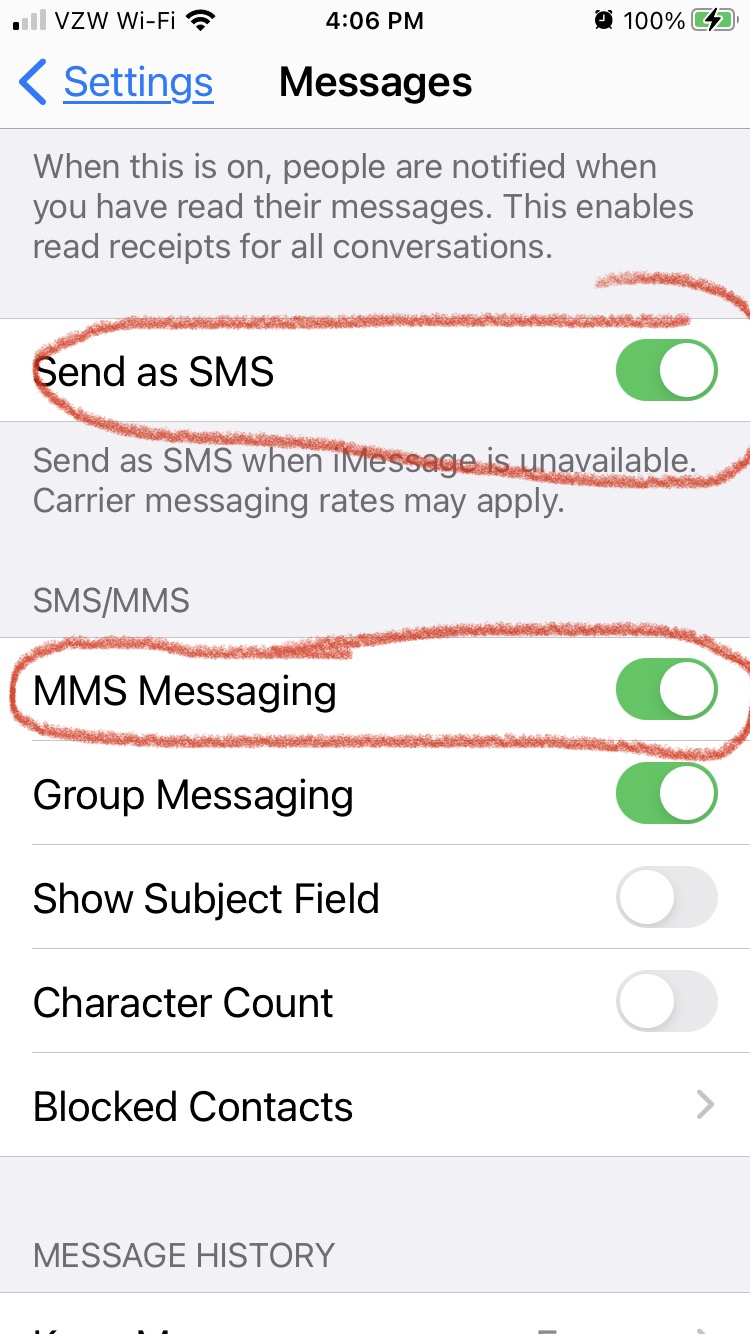
I noticed the SMS identification for Airbnb recently changed so they’ve either changed their service provider or the messaging software. Not all cell service providers accept all messages. You may wish to check your messaging settings.
In the case of me sometimes receiving alerts at 3am when the guests sent the message hours earlier, it doesn’t have anything to do with my phone settings, because it happens randomly. Sometimes alerts come through within a minute of the guest’s message being sent, other times it’s delayed. The issue, I believe, is on Airbnb’s end.
I agree with muddy: it doesn’t have anything to do with my phone settings, because it happens randomly. I guess my solution to have a separate email account with only airbnb activity seems to be the way to go. Frustratingly inexplicable!
Thanks for all the thoughts!
My take was that she doesn’t want to hear a ping every time she gets a regular email from someone other than Airbnb. I’m not aware of how to set up a ping for only certain emails, but I’m no techie.
Oh yes, I’m old You totally didn’t get what I said. I know she wants to get alerts for her Airbnb emails and to hear a ping. But I wasn’t aware that there are email settings that one can use so that you only get pings for emails from specific senders.
I was assuming, since she set up a dedicated email address for Airbnb, that she didn’t want to hear a ping every time she got an email from just anyone.
Amen and thanks. Because I’m 63 and OWN a custom software development company. Tech is everywhere and the 85 year old receptionist at church used to be a data programmer for IBM.
I’m sick of the “age bias” and the willful ignorance of tech being displayed.
Clearly you’re no techie. And thanks for “tech-splaining” phone settings to a techie. We love it. Really.
I have worked in male-dominated industries since 1985 (Wall St. trading floor, financial operations, technology/software sales) and the minute someone says “…because you’re a girl…” I hit the roof. I was raised by a Dad who taught me to change oil, rotate tires, fix about anything, and to be independent. The “helpless Disney princess” vibe bothers me no end. Rescue yourself. grrrr
I never said that not being proficient with tech is related to age. I know it isn’t. In fact I’ve mentioned that both my dad, at the age of 75, learned that stuff really quickly, and my 90 year old stepmom is a whiz on her smart phone.I happen to be old and I happen not to be much of a techie, but those things are not co-dependent.
I only mentioned somewhere that a host I’m familiar with who says she doesn’t use a smart phone is a millennial, because I read a lot the misconception that old people are tech-challenged while younger people embrace it. I’ve read lots of posts where hosts complain about hosting older guests- that they can’t figure out the electronic lock, or how to work the TV, that they want to communicate by phone calls, rather than using the messaging system.
I was in fact pointing out that using tech is not age-related.
@eileenfeim GREAT JOB! What a simple and ELEGANT way to solve your issue.
.
IMO, it would be a total waste of time to keep working with Air but do as you like. If the issue IS on their side, they honestly do not care and are very unlikely to fix it. If the issue is somehow related to settings on your phone, you already have a better solution actually - as Air’s APP can be finicky - whereas your exclusive email with text trigger is VERY clever.
.
I spent 25 years in IT. Sometimes, regardless of “every setting is perfect” tech simply is not. And things sometimes get fixed by uninstalling and reinstalling apps. Your fix is better!
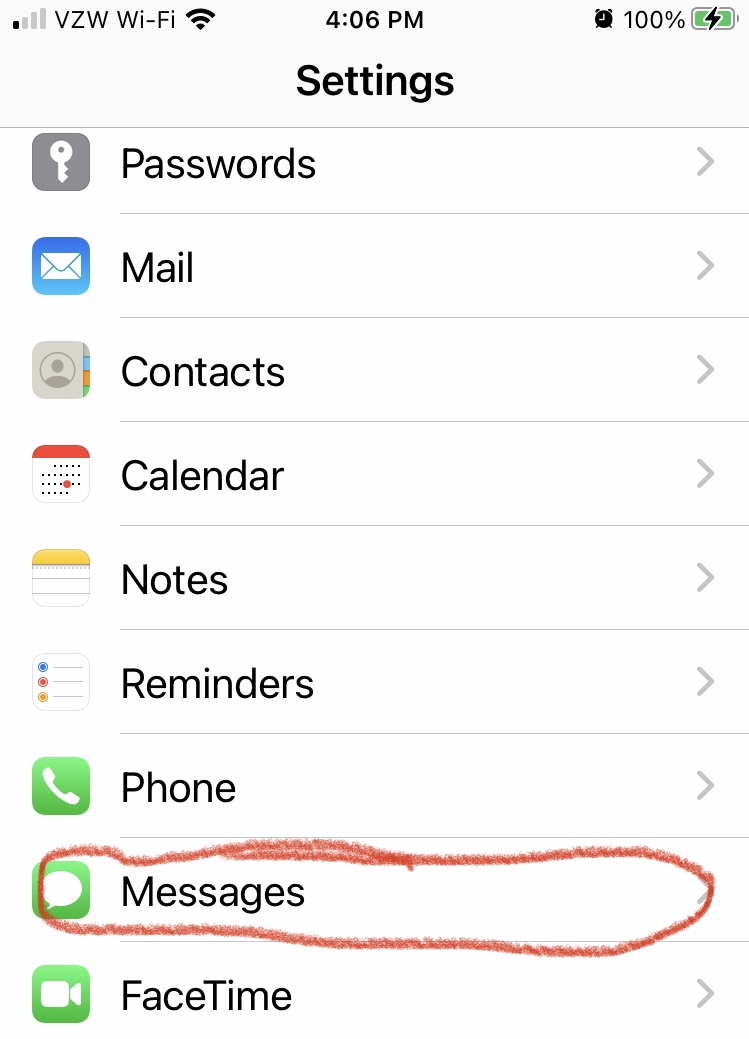
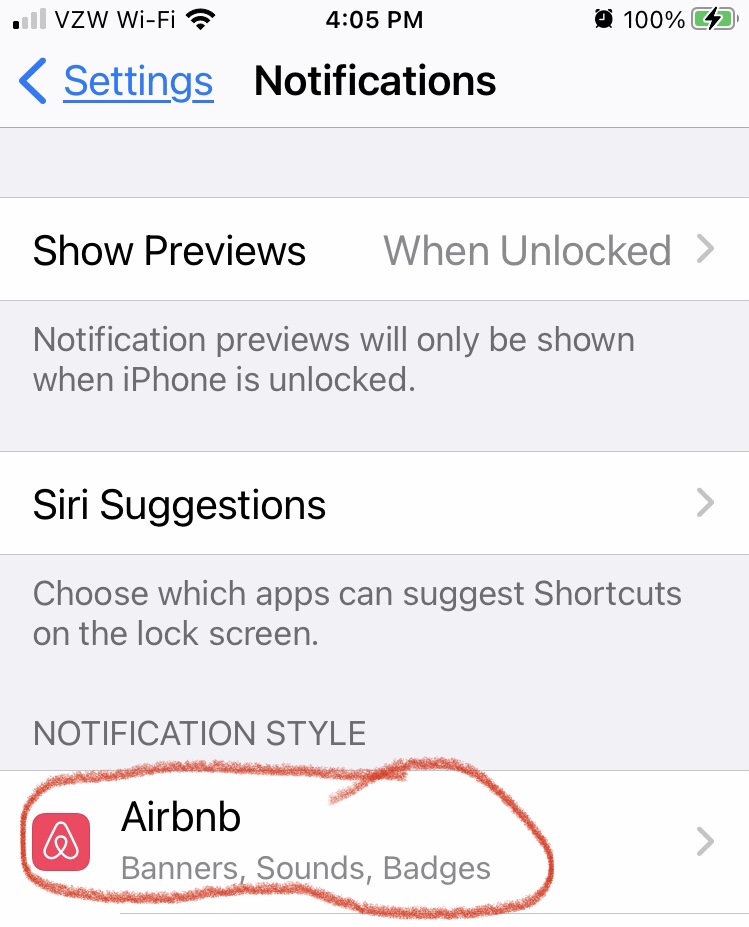
I have an old iPhone 7. Earlier, Annet 3176 attached screen shots of the exact settings. Yes, mine are the same. Yes, I’m using the mail app on it, and that’s where I’m getting the only reliable Airbnb notifications now that I’ve set up a separate email account just for Airbnb.


 You totally didn’t get what I said. I know she wants to get alerts for her Airbnb emails and to hear a ping. But I wasn’t aware that there are email settings that one can use so that you only get pings for emails from specific senders.